What is DoomPDF? #
DoomPDF is an open-source project created by developer ading2210, with one core goal: running the classic game DOOM directly inside a PDF file.
In the programming community, there is a famous meme called “It Runs Doom” (meaning anything can run DOOM). Everything from calculators and printers to lawnmowers has been put to the test, and DoomPDF takes the battlefield to a “document format.” The most amazing part is that this is not a hacker exploit or security vulnerability at all—it is creative magic that pushes features legitimately supported by the PDF specification to their absolute limit!
How Does a PDF Become a Computer? Four Core “Black Magic” Techniques #
PDFs don’t have a modern web <canvas> or display buffer, nor do they have a WebAssembly runtime environment. So how does it pull this off? The secret lies in these four tricks:
- PDF’s Built-in JavaScript: The PDF specification actually supports JavaScript and comes with its own standard library. Built-in browser PDF viewers (especially Chromium-based browsers, which offer the most complete support) will execute this code.
- Compiling to
asm.jswith an Older Emscripten: Modern compilers output WebAssembly by default, which PDFs can’t understand. Instead, ading2210 used an older version of Emscripten (1.39.20) to compile C code intoasm.js, a pure JavaScript subset, allowing the game’s logic to run inside the PDF’s JS environment. - Using “Form Fields” as a Screen: Since pixels can’t be drawn directly, each horizontal row of the screen is turned into a PDF “Text Field.” Different densities of ASCII characters are inserted to simulate grayscale and outlines, even paired with color settings to render visuals.
- Using “Buttons and Input Boxes” as a Controller: When a player presses keys or clicks on-screen buttons, it triggers PDF form events that send commands back to the emulated program.
Because it relies entirely on brute-forcing form fields and scripts, the frame rate is slow and the graphics look like retro ASCII art—but it is genuinely playable, you can shoot, and you can control it.
Pushing It Even Further: LinuxPDF #
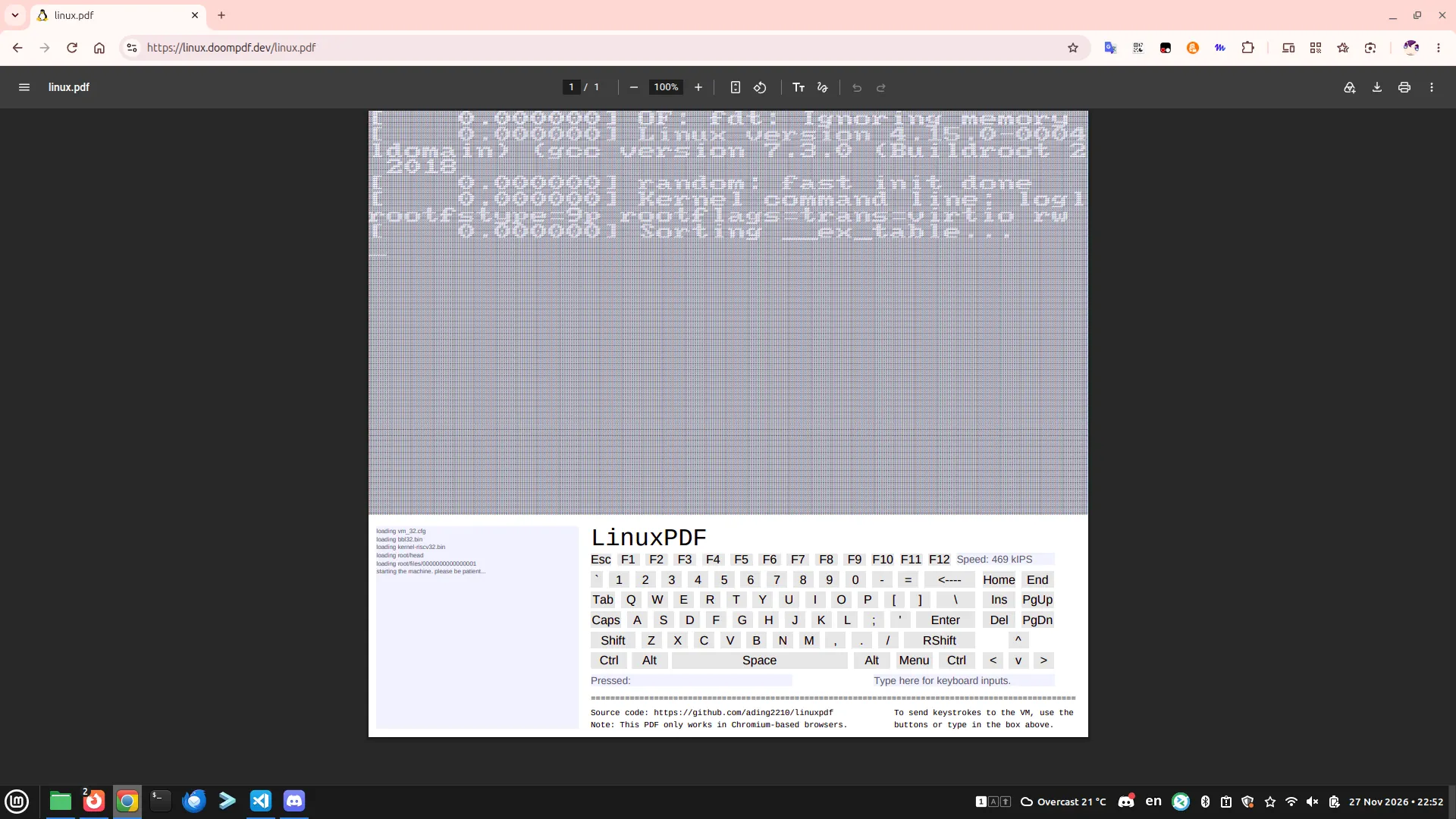
After getting DOOM running, ading2210 clearly wasn’t satisfied yet, so they launched a spin-off project called LinuxPDF—running Linux inside a PDF:
- Core Architecture: It follows the same PDF JavaScript and
asm.jsapproach, except this time it compiles a modified TinyEMU RISC-V emulator. This allows a ~6MB PDF file to emulate a RISC-V architecture and boot a Linux kernel right inside the browser. - Input & Output: Screen output is similarly rendered as character rows via PDF text fields, while users can send keystroke commands through virtual buttons or text boxes inside the PDF to interact with the command line.
- Performance: Emulating a CPU to run an entire operating system comes at a high cost—booting usually takes tens of seconds, and overall execution is much slower than real hardware. Still, the moment the command prompt appears and you actually type Linux commands inside a PDF, it’s truly moving.
Conclusion #
Over decades of evolution, many file formats have incorporated scripting features to some extent in order to support interactive forms, scripts, or automation. I always used to think that “a PDF can only be viewed as a static document,” so DoomPDF really opened my eyes.
By the way, since PDFs really can run scripts and complex logic, keeping your PDF viewer updated and paying attention to its JavaScript settings when opening files from unknown sources is also a very practical cybersecurity habit!
Try It Yourself #
This generally only works properly on Chromium-based browsers, as they have the most complete support for PDF JavaScript.
DoomPDF: https://doompdf.pages.dev/doom.pdf
linux.pdf: https://linux.doompdf.dev/linux.pdf